Timz GMRS Repeater
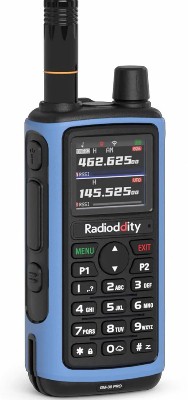
Radioddity GM-30 Pro GMRS
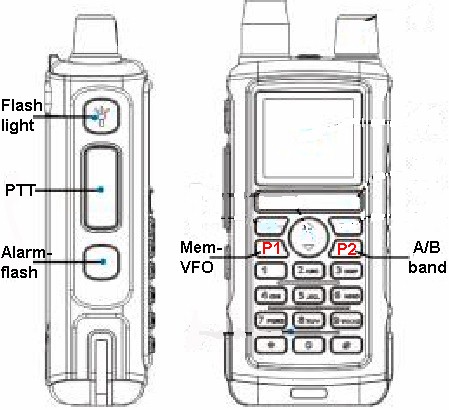
Tips* button function chart:* the front panel microphone is noise canceling; you need to hold the radio very near your mouth when transmitting.
* download the CPS (v1.2) HERE
* When using the programming software (CPS), channels 1 thru 30 have un-editable frequencies, though you can add CTCSS to them. Use channels 23-30 for repeaters.
* In the CPS, under "Windows / Radio Function" consider the following changes:
SQL = 3
TOT = 90
Tail Clear = off
Roger = off* you can add additional channels (starting with ch. 31). If the frequencies are not GMRS, the radio will probably receive them, but the radio will not allow transmitting on non GMRS frequencies.
* The voice announce feature can be disabled, though apparently not in the CPS. You need to access the built in Menu on the radio itself; press the MENU botton, Radio Settings, 9 Voice, Off.
* I notice a squelch-tail at the end of reception. Despite my attempts to massage the settings... I couldn't eliminate it. Not really annoying, but other radio mfgrs (programmed similiarly) do not.
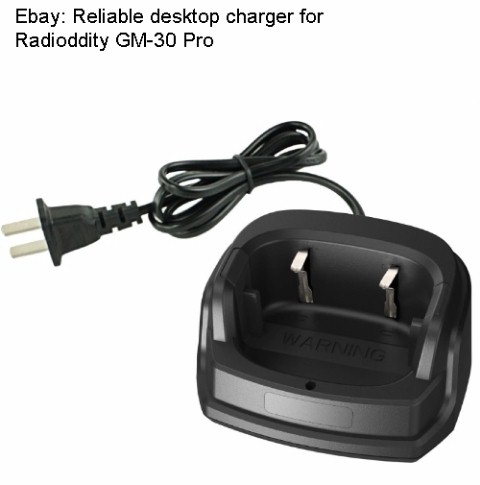
* There is a drop-in charger available:
Amazon sells a 2-pack of these radios including speaker-mics, gain antennas, and programing cable for $53.
Help in adding Timz channel to yout radio